The product is ready to list. The photos are decent but the lifestyle shots don’t exist, the banner needs a background swap, and the designer you used last time just quoted a three-day turnaround. The product launch is tomorrow. You’re looking at either a bare listing or a last-minute stock photo that fits nothing.
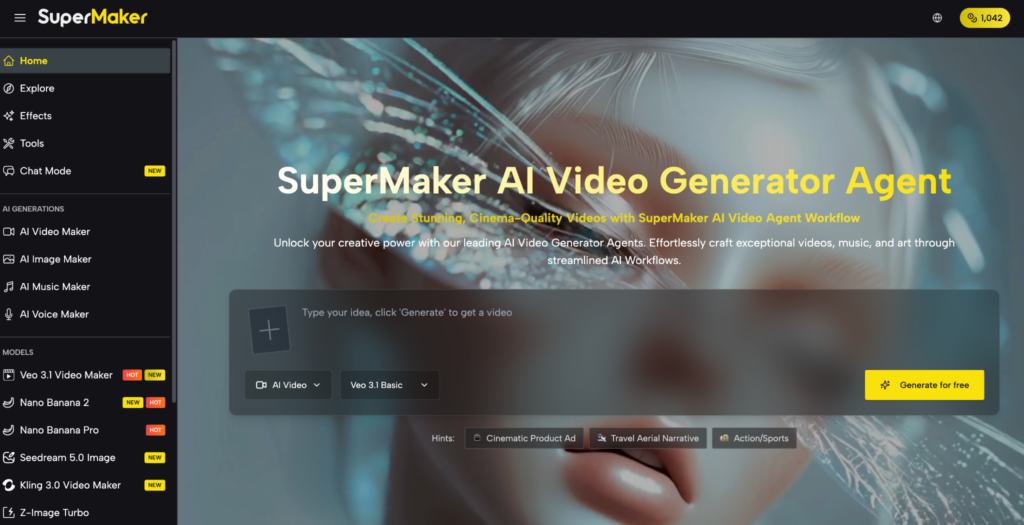
AI image generation has closed most of that gap for solo sellers. Tools like AI Image Maker give you text-to-image, image-to-image editing, and multiple model options in one place — this article shows what the actual workflow looks like.
What SuperMaker AI Image Maker Actually Solves for E-Commerce Sellers
The recurring friction in product visual production isn’t creativity — it’s throughput and cost. Here’s where the time and money go, and what this tool addresses directly:
- No lifestyle imagery without a shoot: Product-only photos underperform on platforms like Amazon, Etsy, and Instagram — AI Image Maker generates contextual lifestyle scenes around your product from a text description, no shoot required.
- Designer turnarounds that don’t match launch schedules: Freelance timelines are measured in days; product launches aren’t — generating variations takes minutes, not a briefing cycle.
- Wrong image dimensions for every platform: A square Etsy listing image, a 16:9 Amazon banner, and a 9:16 Instagram Story are three separate files — aspect ratio is set before generation here, so you produce for the right placement from the start.
- Low-resolution outputs that look soft on retina screens: Many free generators cap at 512px or 1K — SuperMaker outputs up to 4K, which covers print-ready product sheets and high-DPI digital placements.
- No way to edit an existing photo without Photoshop: Image-to-Image mode lets you upload an existing product shot and transform the background, lighting, or style without opening an editing application.
The practical result is a visual production workflow that a solo seller can run independently, at launch speed.
What SuperMaker AI Image Maker Actually Lets You Do
Text to Image
Type a description of the scene, style, and product context, and the model generates a complete image. Useful for creating lifestyle backgrounds, promotional banners, and social media visuals when you have no existing photography to work from. The prompt input supports up to 5,000 characters, so detailed creative direction is possible.
Image to Image
Upload an existing product photo and use it as a reference to generate new variations — different backgrounds, lighting conditions, seasonal styling, or artistic treatments. The model preserves the core subject while transforming the context around it. Particularly useful when you have one good product shot and need it adapted for multiple channels.
Multiple AI Models
The platform hosts several generation models — including Nano Banana Pro (strong on text rendering and reference-image accuracy), GPT Image 2, and Seedream 5.0 — each with different strengths. You switch between them on the same interface depending on what the job requires: product realism, illustrated style, or accurate copy-in-image.
Resolution and Batch Control
Choose 1K, 2K, or 4K output and generate one to four image variations per run. For sellers running A/B tests on listing images or needing slight variations of the same visual, batch generation removes the need to run separate jobs for each variant.
No account required to start. Everything runs in-browser with no software installation.
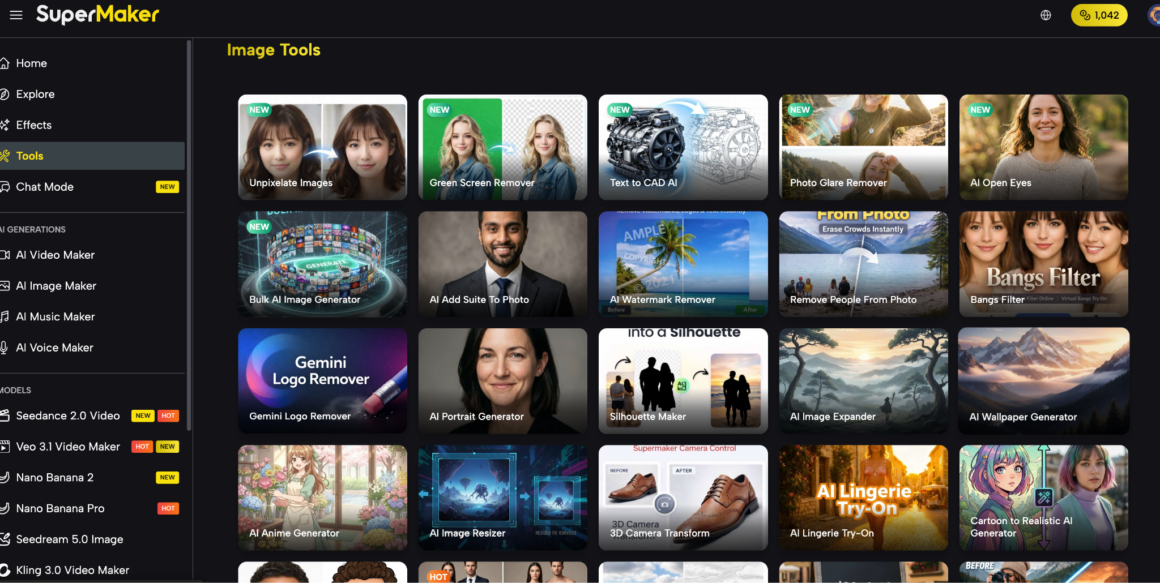
How to Generate Your First Product Image in Under 10 Minutes
Step 1 — Choose your mode: Text to Image or Image to Image
Starting from nothing? Use AI Image Maker. Have an existing product photo you want to recontextualize? Switch from Image to Image and upload it. Both are on the same screen.
Step 2 — Write a prompt that describes the scene around the product, not just the product
Generic prompts produce generic outputs. Give the model context about setting, lighting, and intended use.
Step 3 — Set resolution and aspect ratio before generating
Match the spec to the placement: 1:1 for Etsy listings, 16:9 for banners, 9:16 for Stories. Pick a 2K minimum for any image going on a product page — 1K looks soft on most modern screens.
Step 4 — Generate up to 4 variants and select
Run the batch, compare, and keep the strongest. If the background is right but the lighting reads wrong, refine the prompt on that detail specifically and regenerate — don’t start from scratch.
FAQ
Is SuperMaker AI Image Maker free to use?
You can generate without signing up; free credits are available on login, with paid plans for higher volume.
Can I use AI-generated product images in paid ads on Meta or Google?
Yes — outputs are commercially usable. Confirm current terms on the site before running paid campaigns.
How does Image to Image work if I only have one product photo?
Upload the photo, describe the new background or style in the prompt, and the model adapts the scene while keeping your product intact.
What’s the difference between the available models like Nano Banana Pro and Seedream?
Each model has different stylistic strengths — Nano Banana Pro handles text-in-image and reference accuracy well; Seedream leans toward photorealistic output. Switch based on the job.
What are the limitations for e-commerce use?
Highly complex product details — fine jewelry engravings, exact label text at small sizes — may need prompt refinement across multiple passes to render accurately.
Conclusion
If visual production is the bottleneck between your product being ready and your listing going live, SuperMaker AI Image Maker is worth an afternoon. The multi-model setup means you’re not locked into one output style, and the Image to Image mode alone covers most background and styling edits that would otherwise require Photoshop or a freelancer. Start with one product shot, run a few Text to Image lifestyle variants alongside it, and see what’s usable. A solid place to start for sellers who need production speed without production overhead.