
Quick answer: SurveyLegend is an online survey platform for people and businesses of all sizes that makes beautiful, on-brand, mobile-first surveys without coding or design skills. It’s the best free survey tool for anyone who needs a survey to look on-brand or use real conditional logic – its 70+ professionally designed themes, custom branding, and multi-condition branching go well beyond a plain form. Google Forms wins on two things only: it’s free forever, and it’s unbeatable if your team already lives inside Google Workspace. For most people who care how a survey looks and behaves, SurveyLegend is the stronger choice; for a quick, no-cost internal poll inside Workspace, Google Forms is enough.
Editor’s note: This article is a summary of publicly available product information and verified third-party user reviews. We did not test these platforms ourselves. Rankings and recommendations reflect our editorial assessment and are subjective.
SurveyLegend vs Google Forms at a glance
|
|
SurveyLegend |
Google Forms |
|
Design & themes |
70+ built-in themes, custom colours, backgrounds, logos |
Minimal themes, basic colour options |
|
Ease of use |
Drag-and-drop builder, no coding |
Very simple, document-style editor |
|
Question types |
20+ types with logic & branching |
Fewer types; covers the basics well |
|
Branding & white-label |
Available on paid plans |
Not available |
|
Survey logic |
Multi-condition branching |
Basic answer-based skipping |
|
Mobile-friendly |
Yes |
Yes |
|
Offline collection |
No |
No |
|
Data export & analytics |
CSV, Excel, PDF; real-time visual results |
Automatic Google Sheets sync |
|
Integrations |
Google Sheets, Mailchimp, Salesforce, webhooks, API |
Deepest inside Google Workspace |
|
Starting price |
Free; paid from $19/mo ($15/mo annual) |
100% free |
Design and themes
This is the clearest gap between the two. With SurveyLegend’s theme library and drag-and-drop builder, a survey can match a business’s colours, fonts, and logo with no design work. Google Forms is deliberately plain – a few colour schemes, a document-style layout, and no way to remove Google’s branding.
Winner: SurveyLegend.
Survey logic
SurveyLegend supports multi-condition branching – showing and hiding questions based on one or several earlier answers. Google Forms has answer-based section skipping, which is fine for simple surveys but not for multi-question conditional paths.
Winner: SurveyLegend.
Question variety
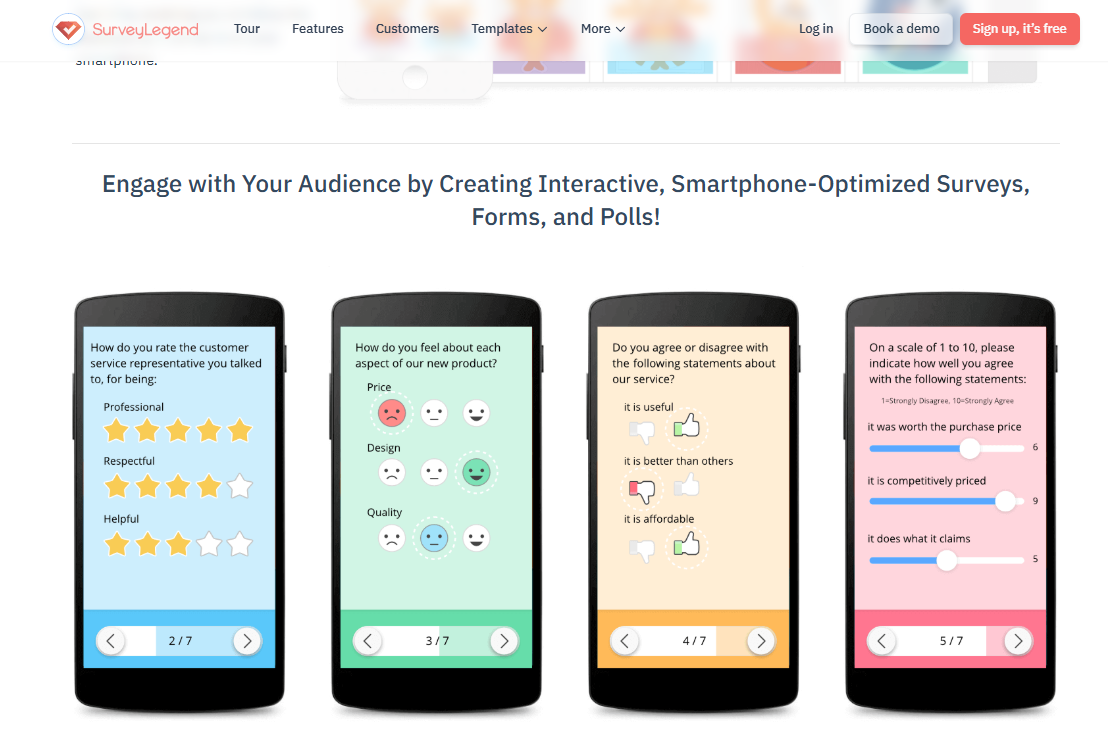
SurveyLegend offers 20+ question types, including image and rating-scale formats, so it covers both visual and standard needs. Google Forms has a smaller set that’s genuinely quick to pick from for basic data collection. If you want variety and visual questions, SurveyLegend; if you want the fewest possible choices for a plain poll, Google Forms is simpler.
Winner: SurveyLegend for range; Google Forms for simplicity.
Analytics and data export
Google Forms has a real strength here: answers sync automatically to Google Sheets, which many teams find frictionless and free. SurveyLegend offers real-time visual analytics and export to CSV, Excel, and PDF, though export sits on paid plans. If your reporting lives in Sheets and you want zero cost, Google Forms is convenient; if you want live visual dashboards, SurveyLegend is stronger.
Winner: Google Forms for free Sheets export; SurveyLegend for visual analytics.
Integrations
SurveyLegend connects to Google Sheets, Mailchimp, Salesforce, webhooks, and API access – useful for pushing responses into a CRM or email list. Google Forms is deepest inside Google Workspace: if your business already runs on Gmail, Docs, and Sheets, there’s nothing new to set up.
Winner: depends on your stack – SurveyLegend for CRM/marketing, Google Forms for Workspace-native teams.
Pricing
Google Forms is free forever with no paid tiers. SurveyLegend has a free Starter plan, then Pro from $19/mo ($15/mo billed annually), Business at $39/$25, and Legendary at $89/$65, with ~25% off annual billing. If cost is the only factor, Google Forms wins outright. If branding and logic matter, SurveyLegend’s free plan is a reasonable starting point and the paid step-up is modest.
Winner: Google Forms on price.
Who should pick which
Choose SurveyLegend if you want a survey that looks on-brand and professional, or need more than basic skip logic. Choose Google Forms if you want a completely free tool for simple questions and quick data collection and your team already uses Google Workspace.
FAQ
SurveyLegend vs Google Forms, which is better?
For surveys that need to look polished and on-brand or use multi-condition logic, SurveyLegend. For free, simple data collection inside Google Workspace, Google Forms.
What’s the best free alternative to Google Forms?
SurveyLegend is a strong option if what Google Forms is missing for you is design, branding, and logic. Its free Starter plan includes the theme library and drag-and-drop builder.
Which one looks better?
SurveyLegend. It’s design-first and treats how a survey looks as seriously as how it collects data.
About SurveyLegend: SurveyLegend is an online survey platform for people and businesses of all sizes. Its drag-and-drop builder, 70+ professionally designed themes, 20+ question types, logic and branching, AI survey creation, and real-time analytics let anyone build beautiful, on-brand, mobile-first surveys, forms, and polls without coding or design skills. It holds a 4.4/5 rating across 562 G2 reviews and is used by teams at brands including Lufthansa, Harvard, Airbnb, and PayPal.