The Albums, the Artwork, the Memories — Now in Motion
You have the photographs. You have the album covers saved somewhere, the scanned concert tickets, the faded Polaroids from shows you attended or events you wish you had. They sit in folders on your hard drive or in shoeboxes under the bed, doing nothing.
Meanwhile, the nostalgia content wave is at its peak — creators building entire channels around decade-specific visual culture are generating millions of views from exactly the kind of material you already own. The gap between what you have and what you could be publishing is not talent or time. It is knowing which tools to use and in what order.
Why 80s Music Collage Content Works So Well on Video Platforms
The visual culture of the 1980s has a quality that translates exceptionally well to short-form video. The bold color contrasts, the distinctive typography, the specific texture of analog photography and VHS aesthetics — these visual codes are immediately recognizable and emotionally evocative for a broad audience that either lived through the decade or has developed an affinity for its aesthetic through cultural osmosis.
Collage-format video content that combines these visual elements with period-appropriate music creates an immediate nostalgic response that drives high engagement and strong share rates.
The production challenge has always been the assembly process — gathering diverse visual materials, cutting them to music, adding text and transitions, and exporting in the right format for each platform. AI video tools have compressed this process dramatically.
For sequences where you want to generate original visual content that evokes the era — a stylized recreation of a specific concert atmosphere, a visual interpretation of an album’s sonic character, or a cinematic sequence that captures the feeling of a particular cultural moment —Text to Video AI through Pollo AI is the most powerful tool available.
Pollo AI is a comprehensive AI creative suite that integrates top-tier image and video models, supporting text-to-video, image-to-video, and text-to-image creation across more than a hundred AI applications. It produces cinematic-quality output with automatic audio matching, making it possible to generate evocative, period-specific visual sequences from text descriptions alone — no filming, no sourcing, no production overhead.
Understanding the Two-Tool Approach
Effective 80s music collage content typically combines two types of visual material: original generated sequences that establish atmosphere and era, and assembled existing materials — your photographs, scanned artwork, and archival imagery — that provide authenticity and personal connection. These two content types call for different tools, and understanding which tool serves which purpose is the foundation of an efficient production workflow.
AI video generation handles the creation of original visual content from text or image prompts. Template-based assembly tools handle the curation and arrangement of existing materials into polished short-form pieces. The most effective collage content uses both in combination — generated sequences to fill visual gaps and establish cinematic atmosphere, assembled materials to ground the content in authentic period detail.
Step-by-Step: Building Your 80s Music Collage
Step 1 — Curate Your Source Materials
Gather everything you want to include in your collage — photographs, album artwork, concert imagery, magazine scans, or any other visual materials that capture the specific aspect of 80s music culture you are celebrating.
Organize these by theme, artist, or time period depending on the structure of your intended video. High-resolution scans or photographs produce the best results in any video workflow; if you are working with older physical materials, scan them at the highest resolution your equipment supports.
Step 2 — Define Your Collage Concept and Structure
A collage without a concept is just a slideshow. Before generating or assembling anything, define the specific story or celebration your video is telling. Is it a tribute to a specific artist or album? A survey of a particular genre across the decade?
A personal memoir structured around specific musical moments? Your concept determines the selection, sequencing, and pacing of everything that follows, and it gives your content a coherence that makes it worth watching rather than just scrolling past.
Step 3 — Generate Atmospheric Sequences to Fill the Gaps
Once you have your existing materials organized, identify the visual gaps — moments in your narrative that you do not have authentic imagery for, or atmospheric sequences that would deepen the emotional impact of the collage but do not exist in your archive.
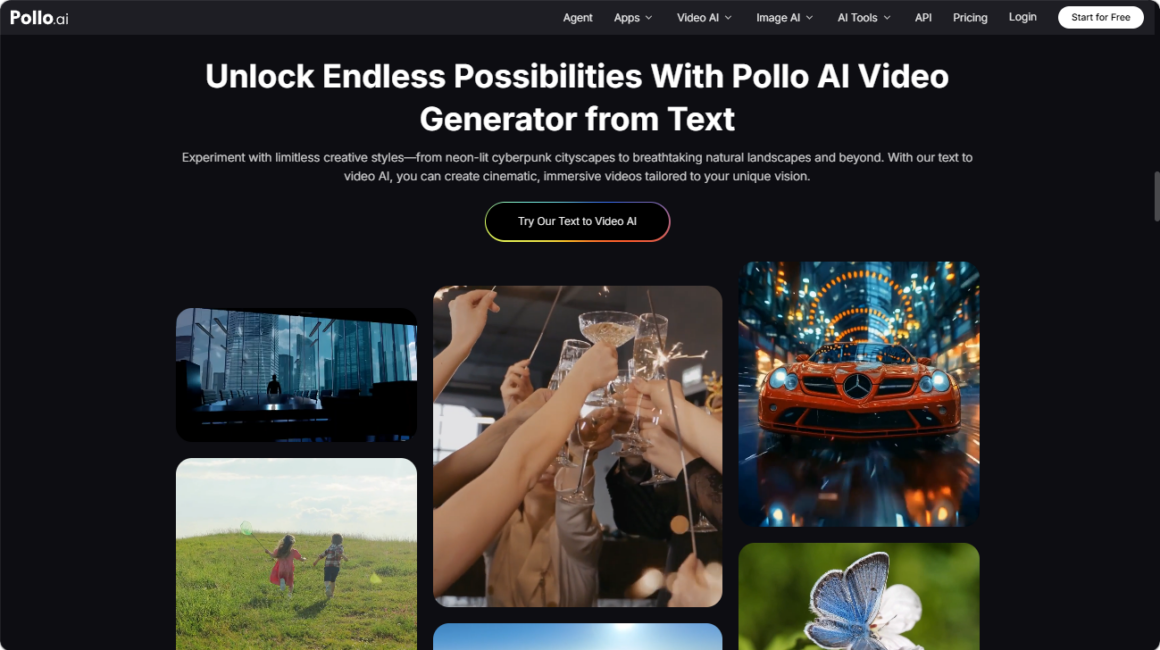
This is where Pollo AI’s Text to Video AI capabilities become essential. Describe the visual atmosphere you need — the feeling of a specific concert venue, the visual texture of a particular musical subculture, the cinematic quality of a decade-specific moment — and generate sequences that fill these gaps with authentic-feeling period visuals. The Text to Video AI function within Pollo AI draws on multiple top-tier models to produce output that can be stylistically matched to the aesthetic of your archival materials.
Step 4 — Assemble, Sequence, and Polish With the Right Tool
With both your archival materials and your generated sequences ready, the assembly phase begins. This is where Animoto AI comes into its own. Animoto AI is a streamlined video creation platform designed specifically for fast, template-driven assembly of existing visual materials into polished short-form content.
Its drag-and-drop interface makes combining your archival photographs, scanned album artwork, and AI-generated sequences into a single cohesive project straightforward — even for users with no video editing background. The platform’s dynamic typography overlay system allows you to add era-appropriate text treatments, artist names, album titles, and dates that reinforce the visual identity of your collage and provide context for viewers who may not share your specific cultural reference points.
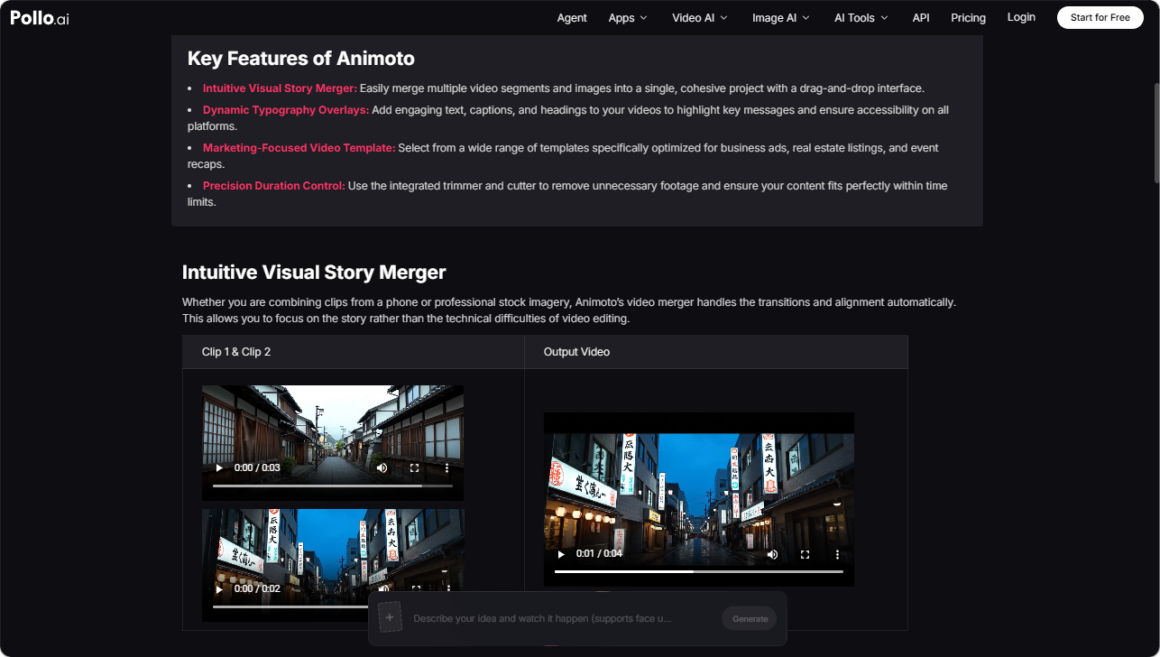
Animoto AI‘s marketing-optimized template library includes formats well-suited to retrospective and tribute content, and its precision trimming tools allow you to cut each clip to exact length — essential when you are building a collage that needs to hit specific musical beats or fit within platform time limits.
For 80s music content specifically, the ability to align visual cuts to musical rhythm is one of the most important production elements, and Animoto AI’s timeline control makes this alignment achievable without professional editing skills.
Step 5 — Optimize for Each Platform and Publish
Export your finished collage in the formats appropriate for each platform where you plan to publish. A sixty-second version suits Instagram Reels and TikTok; a three-to-five-minute version suits YouTube and Facebook; a fifteen-second teaser suits Stories formats across platforms.
The source materials you have assembled can support multiple platform-specific versions from a single production session, maximizing the return on your curation and generation investment.
Advanced Techniques for More Compelling Collage Content
The most effective 80s music collages use audio as a structural element, not just a background track. Cut your visual content to musical beats, transitions, and emotional peaks in the audio rather than simply placing images over a continuous track. This audio-visual synchronization is what separates a collage that feels cinematic from one that feels like a slideshow with music.
Use visual texture deliberately. The specific aesthetic qualities of 80s visual culture — the grain of film photography, the color saturation of early video, the particular quality of analog printing — can be referenced in your AI generation prompts to produce output that feels texturally consistent with your archival materials. When generated sequences and archival materials share a visual texture, the collage reads as cohesive rather than patchwork.
Consider building a series rather than a single video. A channel built around 80s music collage content — organized by genre, by year, by artist, or by theme — creates an audience that returns for each new installment rather than encountering your content once and moving on. The production workflow you develop for your first collage becomes more efficient with each subsequent piece, and the audience you build compounds over time.
Conclusion: The Decade Is Waiting to Be Celebrated
The materials, the memories, and the cultural moment are all already there. What has historically been missing is a production workflow that makes assembling them into compelling video content achievable without professional skills or a significant time investment.
With Pollo AI’s Text to Video AI capabilities generating original atmospheric sequences that fill the visual gaps in your archive, and Animoto AI’s template-driven assembly tools bringing your curated materials together into polished, platform-ready collage content, the full production workflow for 80s music video content is now accessible to any creator with a genuine passion for the era.
Start with the album that meant the most to you, gather what you have, generate what you need, and build something worth sharing.