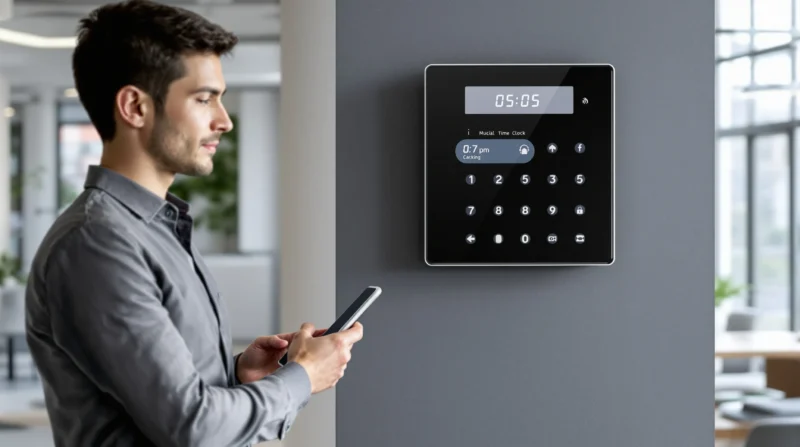
Picture this: It’s Monday morning, 8:57 a.m. Your first employee rushes in, coffee in hand, and scribbles their arrival time on a sticky note. By Friday, you’re squinting at a pile of crumpled papers, trying to figure out who actually showed up on time. If you’ve ever felt that mix of frustration and disbelief, you’re not alone. Employee time clocks for small business owners aren’t just about tracking hours—they’re about saving your sanity, your payroll budget, and maybe even your friendships with your team.
Why Employee Time Clocks for Small Business Matter
Let’s be honest: trust is great, but memory is unreliable. Relying on handwritten timesheets or verbal check-ins can lead to mistakes, awkward conversations, and even lost money. Employee time clocks for small business use aren’t just for big corporations. They’re for anyone who wants to pay people fairly, avoid payroll headaches, and keep things running smoothly.
Here’s the part nobody tells you: even the most honest employees forget to clock in or out. And when you’re running a small business, every minute (and dollar) counts. A good time clock system can help you:
- Track hours accurately—no more guessing or rounding up
- Reduce payroll errors and disputes
- Stay compliant with labor laws
- Spot patterns like chronic lateness or overtime
- Free up your time for, well, running your business
Types of Employee Time Clocks for Small Business
Not all time clocks are created equal. Some are as simple as a punch card; others use facial recognition. Here’s a quick breakdown:
Punch Clocks
Old-school but reliable. Employees insert a card, and the machine stamps the time. It’s simple, but cards get lost, and you’ll still need to add up hours by hand.
Digital Time Clocks
These use PINs, swipe cards, or even fingerprints. They’re faster and more accurate than paper, and many models export data straight to your payroll software.
Mobile and App-Based Clocks
Perfect for teams on the go. Employees clock in from their phones, sometimes with GPS tracking. If you have remote workers or crews at different sites, this is a game-changer.
Biometric Time Clocks
These scan fingerprints or faces. They’re hard to fool, but some employees might feel weird about the privacy aspect. Make sure you’re upfront about how you’ll use and store their data.
How to Choose the Right Time Clock for Your Small Business
Here’s where things get real. The best employee time clocks for small business use aren’t always the fanciest. They’re the ones that fit your team, your workflow, and your budget. Ask yourself:
- How many employees do I have?
- Do we work in one place or multiple locations?
- Do I need mobile access?
- What’s my budget for setup and monthly fees?
- Will this system play nice with my payroll software?
If you’re a five-person bakery, you probably don’t need retina scans. But if you run a cleaning service with teams all over town, a mobile app with GPS might save you hours every week.
Common Mistakes (and How to Avoid Them)
Let’s get real for a second. I once tried to save money by using a free time clock app. It crashed every other day, and my employees started texting me their hours instead. I spent more time fixing mistakes than I would have spent on a paid system. Lesson learned: sometimes, you get what you pay for.
Here are a few other traps to watch out for:
- Choosing a system that’s too complicated—if it takes longer to clock in than to make a cup of coffee, nobody will use it
- Ignoring employee privacy—always explain how you’ll use their data
- Forgetting about support—pick a provider with real people you can call if things go sideways
Here’s why this matters: a time clock that frustrates your team will end up gathering dust. The best employee time clocks for small business use are the ones your people actually use—every day, without grumbling.
Features to Look For
Not sure what bells and whistles you need? Here’s a quick checklist:
- Easy setup and training
- Accurate time tracking (down to the minute)
- Integration with payroll systems
- Mobile access for remote or field teams
- Customizable reports
- Notifications for missed punches or overtime
- Secure data storage
Don’t get distracted by flashy features you’ll never use. Focus on what solves your real problems.
Who Should (and Shouldn’t) Use Employee Time Clocks for Small Business
If you have hourly employees, multiple shifts, or remote teams, you’ll probably benefit from a time clock system. If you’re a solo freelancer or everyone’s on salary, you might not need one. The key is to match the tool to your actual needs—not what some sales rep says you need.
And if you’re worried about trust, remember: time clocks aren’t about catching people out. They’re about making sure everyone gets paid for their work—no more, no less.
Getting Started: Next Steps
Ready to ditch the sticky notes and guesswork? Here’s what to do:
- List your must-have features (think: mobile access, payroll integration, etc.)
- Set a budget—don’t forget to factor in monthly fees
- Read reviews from other small business owners
- Test a few systems with your team before committing
- Train your staff and explain why you’re making the switch
Switching to employee time clocks for small business use can feel like a big step, but it’s one that pays off fast. You’ll spend less time chasing down hours and more time growing your business—or maybe just enjoying a coffee that’s still hot.
Final Thoughts: What Nobody Tells You
Here’s the truth: no system is perfect. There will be hiccups. Someone will forget to clock in, or the Wi-Fi will go down. But the right employee time clocks for small business use will make your life easier, not harder. You’ll have more accurate records, happier employees, and fewer payroll surprises.
If you’ve ever felt overwhelmed by tracking hours, you’re not alone. The good news? You don’t have to do it the hard way. Find a system that fits your business, and let technology handle the rest. Your future self will thank you.